


Winpal Estimate Invoice Maker
4.615.00 Reviews
App Specs
- Version
- 1.0.10
- Updated On
- License
- Free
- Downloads
- 10,000+
- Developer
- Hubflo
- Categories
- Business
- Platform
- Android
Screenshots
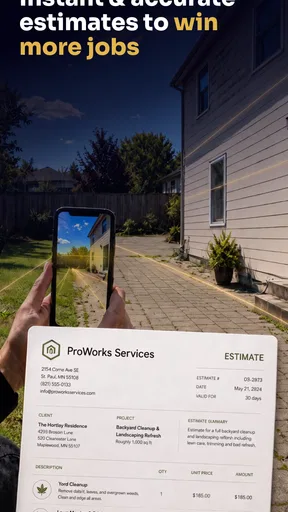
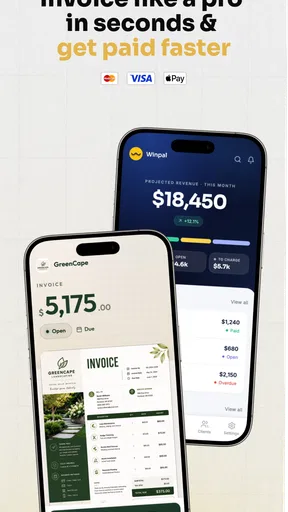
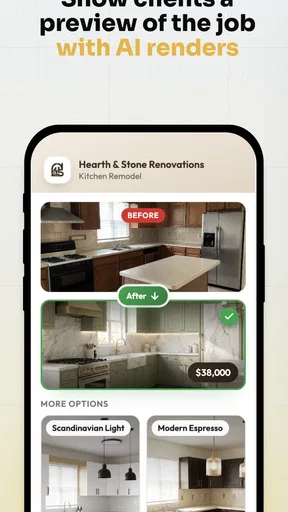
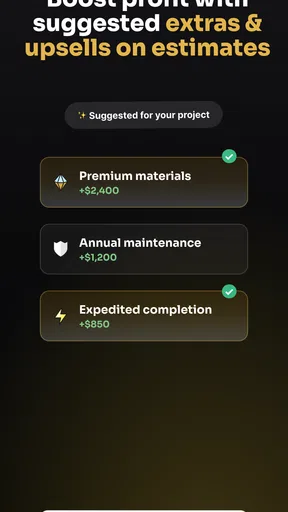
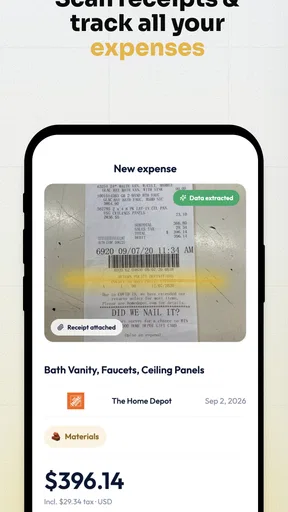
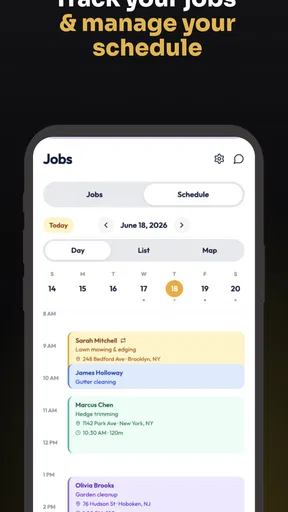
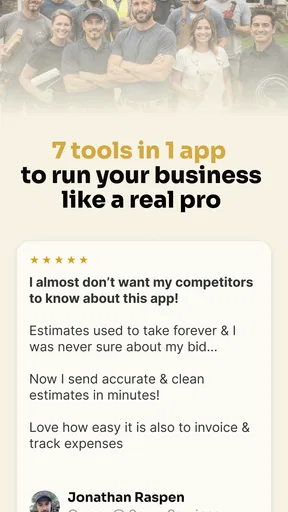
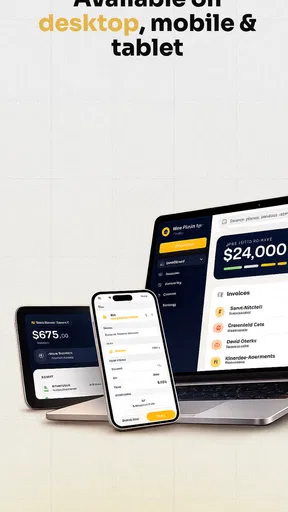
 Analysis by AppCompare
I tested Winpal Estimate Invoice Maker as a practical business tool rather than treating it as just another document generator. Its purpose is straightforward: help independent workers and small operators prepare estimates and invoices without turning every job into an evening of paperwork. That focus makes it interesting for people who need to look professional, keep requests organized, and move from completed work to payment with fewer manual steps.
The app comes from Hubflo and sits in the Business category. It is free to download, with optional in-app purchases ranging from $6.99 to $99.99 per item. The age rating is Everyone, and the current version is 1.0.10, with Android support beginning at version 7.0. I found the basic idea easy to understand, but the real question is not whether it can produce a document. Most tools can do that. The useful question is whether it can become part of a repeatable work habit.
Turning scattered job details into a workable process
I find the first useful step is deciding what information must be settled before a request becomes an estimate. A short checklist—work to be done, boundaries, likely costs, and any open questions—helps me use a mobile document tool without letting speed turn into guesswork. With that groundwork in place, I can look at how the process holds up in an ordinary working day.
Before using the app, the real problem is usually disorganization
For many freelancers, tradespeople, consultants, and small service businesses, the invoicing problem begins before an invoice exists. A customer sends a message with a rough description of the work, the price is discussed in another conversation, materials are remembered from a receipt, and the final amount is calculated later. By then, the information is spread across notes, chats, email, and memory.
That workflow creates two risks. First, an estimate may be too vague to help the customer decide. Second, the final invoice may not clearly connect to the original agreement. Winpal Estimate Invoice Maker is most useful when I use it at the moment a job becomes concrete, rather than waiting until the work is finished and trying to reconstruct everything.
I would start by treating each customer request as a small record of commitments. What is being done? What is included? What is excluded? Which costs are fixed, and which may change? Even if the app keeps the document creation simple, this preparation improves the quality of the estimate more than decorative formatting ever will.
That is an important distinction. The app can help me present a decision-ready estimate, but it cannot decide whether my pricing is sensible or whether my description protects me from misunderstandings. I still need to think through the job before entering the figures. Used that way, the app supports a business system instead of becoming a place where rushed numbers are typed at the last minute.
Worth Reading Before You Choose

Flipboard Shows What News Apps Must Do Beyond the Feed

Switching to Android Auto Means Rethinking Your Driving Routine

Google Calendar Makes a Crowded Week Easier to Manage

Ludo King Makes the Most of the Minutes Between Plans

Baby Panda World Brings Quick Play to Modern Phones, but Its Game Library Feels Busy

ESPN’s Live Game View Makes Following Close Games Easier
Capturing a request while the details are still fresh
The strongest everyday use case is a small service provider who receives several requests during a busy day. Imagine a cleaner, repair specialist, photographer, tutor, or independent designer speaking with a prospective customer in the morning. Without a dedicated workflow, the person may promise to send a quote, continue working, and then spend the evening searching for the original message.
With a tool focused on estimates and invoices, I can turn that request into a formal next step while the details are still fresh. I would record the customer information, describe the work in plain language, separate labor from materials where that helps understanding, and review the total before sending or sharing the document through the normal channel available to me.
The non-obvious advantage is not simply speed. It is reducing the number of times I have to mentally translate between informal conversation and business paperwork. If the estimate is written immediately, the wording becomes a reference point for the rest of the job. When the work is complete, the invoice can follow the same logic instead of being invented from memory.
I also recommend using consistent descriptions. A vague line such as “repair work” may be quick, but it does little to prevent disagreement. A clearer line explaining the task, location, or expected result gives the customer something concrete to approve. Winpal can be useful here because it encourages me to move from casual messages toward a recognizable document-based process.
Organizing work by stages instead of by isolated documents
A common mistake is to view an estimate and an invoice as two unrelated files. I get better results when I treat them as stages in one customer journey: request, estimate, approval, work, invoice, payment follow-up. The app belongs mainly in the middle of that chain, so I need a simple surrounding routine to prevent information from disappearing before or after document creation.
For example, I might keep a short daily list of open requests outside the app, then use Winpal Estimate Invoice Maker when a request is ready for a formal estimate. Once the customer agrees, I would mark that job in my broader task system as active. After completion, I would prepare the invoice using the same customer and job language. This avoids asking the app to become a full project-management platform when its value is more focused.
This separation is helpful for people who already use a calendar, task manager, or accounting service. The estimate and invoice app handles the customer-facing paperwork, while another system handles appointments, reminders, supplier orders, or long-term financial records. That division is more sustainable than forcing one lightweight business app to manage every part of a company.
Another practical tip is to review documents in batches. If I have several small jobs, I can capture the key details as requests arrive, then set aside a short block to check wording and totals. That gives me the speed of immediate capture without sending documents that have not been properly reviewed. It also reduces the temptation to create every estimate in a distracted state.
Building a repeatable routine around estimates and invoices
The app becomes more valuable when I use it at predictable points in the week. A useful routine could begin with a quick morning review of new customer requests. Any request with enough detail becomes an estimate. Unclear requests stay in a pending list until I have the information needed to price them responsibly. This prevents incomplete conversations from turning into inaccurate paperwork.
At the end of each workday, I would check which jobs changed status. Approved estimates should move into an active-work list, while finished jobs should be prepared for invoicing. The purpose is not to spend more time administrating. It is to make sure that completed work does not remain unpaid simply because the paperwork was postponed.
For recurring customers, consistency matters even more. I would keep the wording of similar services stable, then adjust only the parts that genuinely change. That makes estimates easier to read and helps me notice when a job has unusual requirements. It also creates a clearer record of what I normally charge, without relying on a memory that may be unreliable after a long day.
A second useful habit is a final “customer viewpoint” check. Before I send an estimate, I ask whether someone unfamiliar with my internal shorthand would understand the service, amount, and expected next step. Before issuing an invoice, I check whether the description matches what was actually delivered. This takes very little time but catches the kind of ambiguity that often leads to delayed payment.
The app’s free entry point makes it approachable for someone testing a more organized process without committing immediately to a large business platform. At the same time, the presence of paid items means I would inspect the purchase options carefully before building a long-term workflow around any feature I consider essential. A free starting point is useful, but sustainable planning requires knowing which parts of the process may eventually involve an additional cost.
Where the workflow can fail
My main caution is that document creation alone does not guarantee faster payment. A polished invoice can still be delayed if the customer does not know when payment is due, if the scope was unclear from the beginning, or if the business has no follow-up habit. I would use the app as the paperwork layer, then maintain a separate reminder system for unpaid work.
Another failure point is entering information too quickly. Mobile convenience can encourage rushed estimates, especially when I am between appointments. A wrong customer detail or omitted material can be more damaging than the few minutes saved. I would rather capture a request as a draft or note, then verify the important parts before treating it as final.
Small businesses should also be careful about outgrowing a focused invoicing tool. If I need detailed expense tracking, inventory control, tax reporting, team permissions, recurring billing logic, or deep financial reconciliation, I would compare this app with dedicated accounting software. Winpal may be the better choice for straightforward estimates and invoices, but a larger operation may need a system designed around full bookkeeping rather than customer documents.
There is also a human limitation: the app cannot replace a clear pricing policy. If every estimate is built from scratch, the process may remain inconsistent even when the document itself looks professional. I would prepare a private reference list of common services, typical materials, and questions that must be answered before quoting. That reference can sit outside the app and make each entry faster and more accurate.
Finally, I would not assume that a document tool should be the only place where customer history lives. Important conversations, approvals, receipts, and payment records may belong in other systems depending on the business. Keeping a simple backup routine and a clear naming habit is sensible, particularly when documents matter for disputes, taxes, or future repeat work.
How it compares with familiar alternatives
The usual alternative is a word processor or spreadsheet. Those options can be flexible, but they often require more formatting, more manual calculations, and more attention to keeping templates consistent. They are acceptable for occasional invoices, yet they become awkward when I need to move quickly from a customer request to a professional estimate.
Emailing a plain message with a price is faster at first, but it is weaker as a durable business record. It can be difficult for the customer to identify exactly what is included, and difficult for me to reuse the information later. Winpal’s focused purpose gives the transaction a clearer shape without requiring the complexity of a full accounting suite.
Accounting platforms are stronger when the business needs comprehensive financial control. They may be preferable for established teams, detailed tax workflows, or businesses with substantial transaction volume. The trade-off is that they can feel excessive for a solo operator who mainly needs clean estimates and invoices on a phone. I see Winpal as a practical middle ground for that audience, provided the business accepts that it is not a replacement for every administrative system.
Its public reception is encouraging: the app holds a 4.6 average from around 384 ratings and has passed 10K installs. Those figures suggest that it has found an audience, but I would still judge it by the fit of my workflow rather than popularity alone. A tool can be well liked and still be wrong for a company that needs advanced accounting controls.
Who should adopt it, and who should skip it
I would recommend trying Winpal Estimate Invoice Maker if I were a solo professional, local service provider, independent contractor, or small team that currently prepares estimates and invoices manually. It is especially suitable when the main pain is speed and consistency: getting a clear document ready without opening a complicated financial system.
It also suits people who work away from a desk. A mobile-first routine can be valuable after a site visit, during a customer call, or immediately after finishing a small job. The best results come from using that convenience deliberately: capture the request, check the scope, prepare the document, and place the next action somewhere visible.
I would be more cautious if my business requires detailed accounting, inventory management, complex tax handling, or a central database for several staff members. In those situations, a dedicated accounting or operations platform may be a better foundation, with this app used only if it fits alongside that system. I would also skip it if I am unwilling to maintain basic follow-up habits, because no invoice maker can compensate for forgotten reminders or unclear agreements.
My overall experience with the app
What I like most is the narrow focus. Winpal Estimate Invoice Maker does not need to become a giant business dashboard to be useful. Its role is clearer: help me turn job information into estimates and invoices quickly enough that paperwork does not trail far behind the work itself.
The best way to use it is not to open it randomly whenever an invoice is overdue. I would place it inside a small operating rhythm: capture requests promptly, write specific descriptions, review before sending, connect approved estimates to active jobs, and invoice as soon as the work is complete. That approach turns a simple utility into part of a dependable payment process.
There are sensible reasons to keep expectations measured. The app will not create a pricing strategy, manage every customer relationship, or replace full bookkeeping. Optional purchases also deserve attention before I rely on them for an essential part of the business. Still, for a person who wants a cleaner alternative to scattered notes, improvised emails, or spreadsheet templates, the focused design is appealing.
Hubflo has positioned this Business app for a very practical need, and the current version gives Android users a low-friction way to explore that workflow. With its Everyone rating, broad older-device support, free starting price, and optional paid items, it is easy to test without treating the decision as a major software migration.
My recommendation is to adopt it as the document layer of a broader routine, not as the entire business system. If your work involves frequent small jobs and your current process depends on memory, this app can help you respond more professionally and keep completed work moving toward payment. If you need deep financial controls or complex team operations, I would choose a fuller accounting solution instead. For the right small business, though, Winpal Estimate Invoice Maker offers a sensible way to make estimates and invoices part of the workday rather than an exhausting task left until the end.
Pros
- Creates professional estimates and invoices directly from your phone.
- Useful templates help small businesses save time on routine paperwork.
- Tracks invoice status
- payments
- and outstanding balances in one place.
- Supports customer and product details for faster document creation.
- Convenient for freelancers and contractors working away from the office.
Cons
- Advanced features may require a paid subscription or in-app purchases.
- The interface can feel crowded when managing many customers and invoices.
- Customization options may be limited compared with full accounting software.
- Some features may depend on an internet connection or account access.
- Not ideal for businesses needing payroll
- inventory
- or comprehensive bookkeeping.
FAQs for Winpal Estimate Invoice Maker
What is Winpal Estimate Invoice Maker used for?
Winpal Estimate Invoice Maker is designed to help small businesses, freelancers, contractors, and independent professionals create estimates and invoices from a mobile device. You can generally organize customer details, add products or services, calculate totals, and prepare professional-looking documents without relying on complicated accounting software. It is especially useful when you need to issue a quote or invoice while working away from your office.
Can I create both estimates and invoices with Winpal?
Yes, the app is intended to support both estimates and invoices, allowing users to prepare a price proposal before a job and convert or recreate it as an invoice when the customer approves the work. Before downloading, check the current feature list because available document templates, conversion options, tax settings, payment terms, and customization tools may depend on the app version or subscription plan.
Is Winpal Estimate Invoice Maker suitable for small businesses and freelancers?
The app can be a practical choice for freelancers, tradespeople, consultants, and small business owners who need straightforward billing tools rather than a full bookkeeping platform. Its mobile-focused workflow makes it convenient for creating documents on the go. However, users with complex inventory, payroll, advanced tax reporting, or multi-user accounting requirements may need to combine it with dedicated accounting software.
Can I customize invoices and send them to customers?
Winpal Estimate Invoice Maker is built around creating business documents that can be presented to customers, and apps in this category commonly provide options for adding business information, customer details, line items, taxes, discounts, notes, and payment instructions. Sharing or exporting may be available through email, messaging, or PDF files. Confirm the exact export formats and branding options in the current version before subscribing.
Is Winpal Estimate Invoice Maker free to use?
The availability of free features, premium tools, advertisements, and subscription requirements can vary by platform and app version. You should review the store listing carefully before downloading, especially the in-app purchase section and trial conditions. Check whether creating unlimited estimates and invoices, removing branding, saving customer records, exporting PDFs, or accessing templates requires payment, and verify cancellation terms before starting a trial.


